Sunday, 6 December 2015

Week 3 

Tutorial on How to make low resolution picture to high resolution picture 

Hi, so tutorial class is here again. I will show 8 step how to make low resolution picture to high resolution picture.
                                  1.


Select image size and change the resolution to 300 and bicubic smoother. 
                           2.
                                
Select filter then click Noise then click Despeckle.
                          3.
Click filter then choose stylise and select diffuse
                          4.
Choose filter then click Sharpen and click Unsharp mask
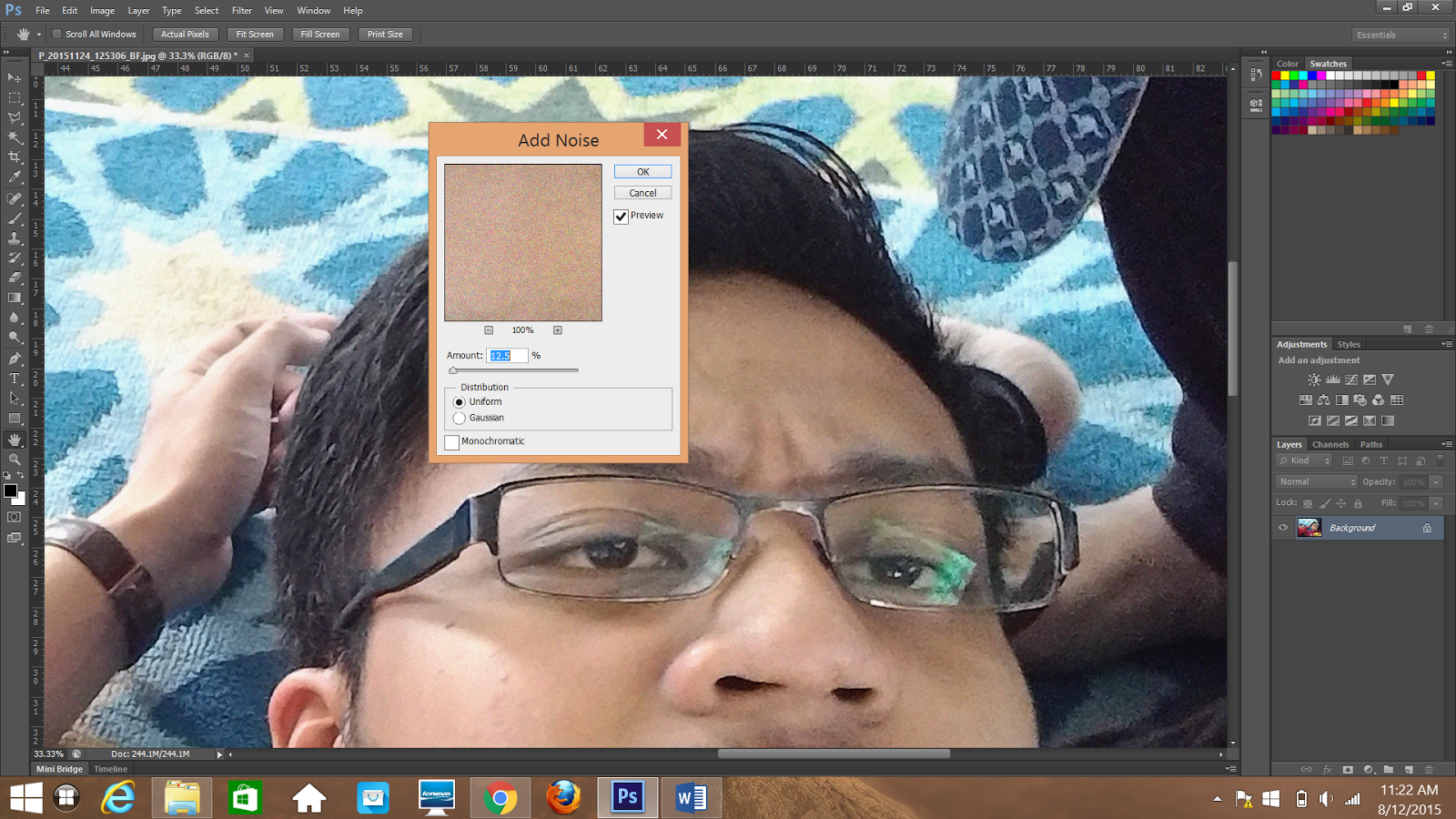
                         5.
Click filter , choose Noise and Add noise
                          6.

                                      
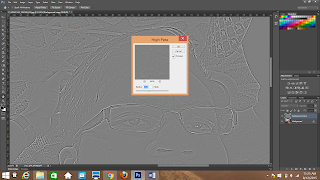
Duplicate first layer then choose filter, click other and choose high pass.
                        7.
Right click on the new layer and choose blending options. Change the blend mode to Overlay.
                         8.
The result is here, Madam asked us to make 4 up to see different. I make a different between Original , GIF and PNG-8 using 256 colors. That's all for this week . Thank you. 


Week 3 

Lecture

So, for this week my lecturer, Miss Nazirah give a lecture about what we gonna use in computer graphics such as DPI , PPI, Resolution ,Pixel, Lossy vs Lossless and many more  . Before this, we only know to use but doesn't know what it's mean. Miss Nazirah asked us to form a group of four to present the meaning of those things. She gave about one hour to us to discuss the meaning of 13 things that given by lecturer. We divided our work to make easier.
So this is our result. Its make us more understand what we learn. 

Tuesday, 1 December 2015

PHOTOSHOP TUTORIAL 

So, tutorial is the best part because we can explore the software more deeply. This trimester we introduced to the Photoshop. Photoshop is well known in nowadays. 

I've been use this software before but not so professional on that time. I only know the basic. I should be grateful because this semester we learn Photoshop. In my opinion, Photoshop is more simple and easy than Adobe Illustrator. In the class, Madam Ling asked us to do a task that use captain america and tiger as a subject. 

Its a nice composition to test our creativity. 
And the picture is the result of my work.

Week 2 (Lecture )


Miss Nazirah is our new lecturer for the lecture section for this semester. For this week , we just introduced ourselves because this is first time we met her. She try to remember our name. Then ,she ask about computer graphics so who able can answer it she gave 'something' and I think its a food . So that's our activity for this week.

Tuesday, 15 September 2015

Texture Assignment 

In the lecture class Madam Ling ask us to explore the texture and group in works . 

While in tutorial class Madam Ling asked us to create the texture in Illustrator , She said we can do in group or individual and we choose work in group because its more easier. Here the result of texture using illustrator


TEXTURE AND SPACE 

In texture we already studied in VRC . So it can help a lot to know the type of texture . There's four type of texture like abstract, simulated , invented and actual . I will show the example for each type of texture . Firstly Simulated Texture . Simulated Texture is based on the paint, and its application, or the addition of materials such as ribbon, metal, wood, lace, leather and sand. The concept of 'painterliness' also has bearing on texture. The texture stimulates two different senses


Abstract Texture can be to be a really good resource even though at first sight they don’t look like much but in the hands of a skilled designer they can be really useful when working on a design project.

 Invented Texture-A creative way of adding alternate materials to create an interesting texture. Invented texture typically appears in abstract works, as they are entirely non-objective.


Actual Texture - This is a combination of how painting looks and how it feels to the touch.


Printing

On the next week during lecture class Madam Ling showed us the type of printing . There's five type of Printingw which is Offset lithography, flexography , Gravure , Photogravure and laser printers. Each one of them have their advantage and disadvantages . 
 For Offset printing its the commanly used commercial printing process for the bulk of dekstop publishing on paper . Offset Frequently used for printing on plastic ,foil ,acelate film,brown paper and other material used in packaging.

On the other hand , Flexography is also known as flexographic printing or flexo. Flexography is a form of printing process which utilizes a flexible relief plate. It is essentially a modern version of letterpress which can be used for printing on almost any type of substrate, including plastic, metallic films, cellophane, and paper. It is widely used for printing on the non-porous substrates required for various types of food packaging (it is also well suited for printing large areas of solid colour).

Laser printing attract people to use it because the speed is better then flexography . This printer is usually used for business . Colour lasers can be found at service bureaus and printers and are often used to produce high-resolution colour digital proofs. Adobe postsript capabilities found in many laser printers .

gravure printing is usually used for labels and packaging , competing against flexography .

Photogravure is commanly used in printing for fine arts .