Monday, 4 January 2016

Week 5 (Tutorial)

Assignment 1 

This week is the submission for assignment 1. The assignment is about editing and manipulating faces in photoshop. There some important step to swap our face.
Firstly , we snap our own face and follow the situation that we choose. 
Like me , i make that face because my subject is chewbacca and its like a warrior.

Image result for chewbacca
this is my subject named Chewbacca
.
I choose this background because it related to war 
This is the result after editing.

Week 5 (Lecture)

So, this week Mdm Nazirah give a lecture about editing and retouching faces in Photoshop. Mdm gave an exercise to built up our ability in photoshop. Mdm also asked us to use our own faces to retouching our faces and make our skin more smoothy .


Here the result . This time I cant give a step on how to do it because its too many step . But, what we can see is the color of eye it become more smooth and all pimples is gone . 

Sunday, 3 January 2016

Week 4 ( Tutorial )

For this week , Madam ask us to sketch the the idea that we want to use in the assignment 1 which is manipulating our faces with other animals or anything .Firstly I use cristiano ronaldo as my subject.
Image result for cristiano ronaldo wallpaper
 But , with Madam Ling respond to our sketch she want us to prevent to swap our faces with human. So, I take that and I change my idea because I don't want lose marks in this assignment. So, I choose chewbacca as my subject. 
Image result for chewbacca


Week 4 (Lecture )

Understanding of Digital Photography Editing Techniques and Workflow Process 

There is two type of photography which is Digital Photography and Traditional Photography. Digital Photography is  an array of electronic photodetectors to capture the image focused by the lens.
While, for traditional photography they use a chemical photographic processing to develop and stabilize the image.
In editing, we should use RAW files because it more easy to edit all the things in the picture like colors , exposure and other . 
BENEFITS OF RAW IMAGES

  1. Higher image quality
  2. Finer Control
  3. non destructive file 
  4. Include more information
  5. Use lossless compression or high quality lossy compresion.
  6. More precious may be available in highlight ,shadows, and saturated images .

Sunday, 6 December 2015

Week 3 

Tutorial on How to make low resolution picture to high resolution picture 

Hi, so tutorial class is here again. I will show 8 step how to make low resolution picture to high resolution picture.
                                  1.


Select image size and change the resolution to 300 and bicubic smoother. 
                           2.
                                
Select filter then click Noise then click Despeckle.
                          3.
Click filter then choose stylise and select diffuse
                          4.
Choose filter then click Sharpen and click Unsharp mask
                         5.
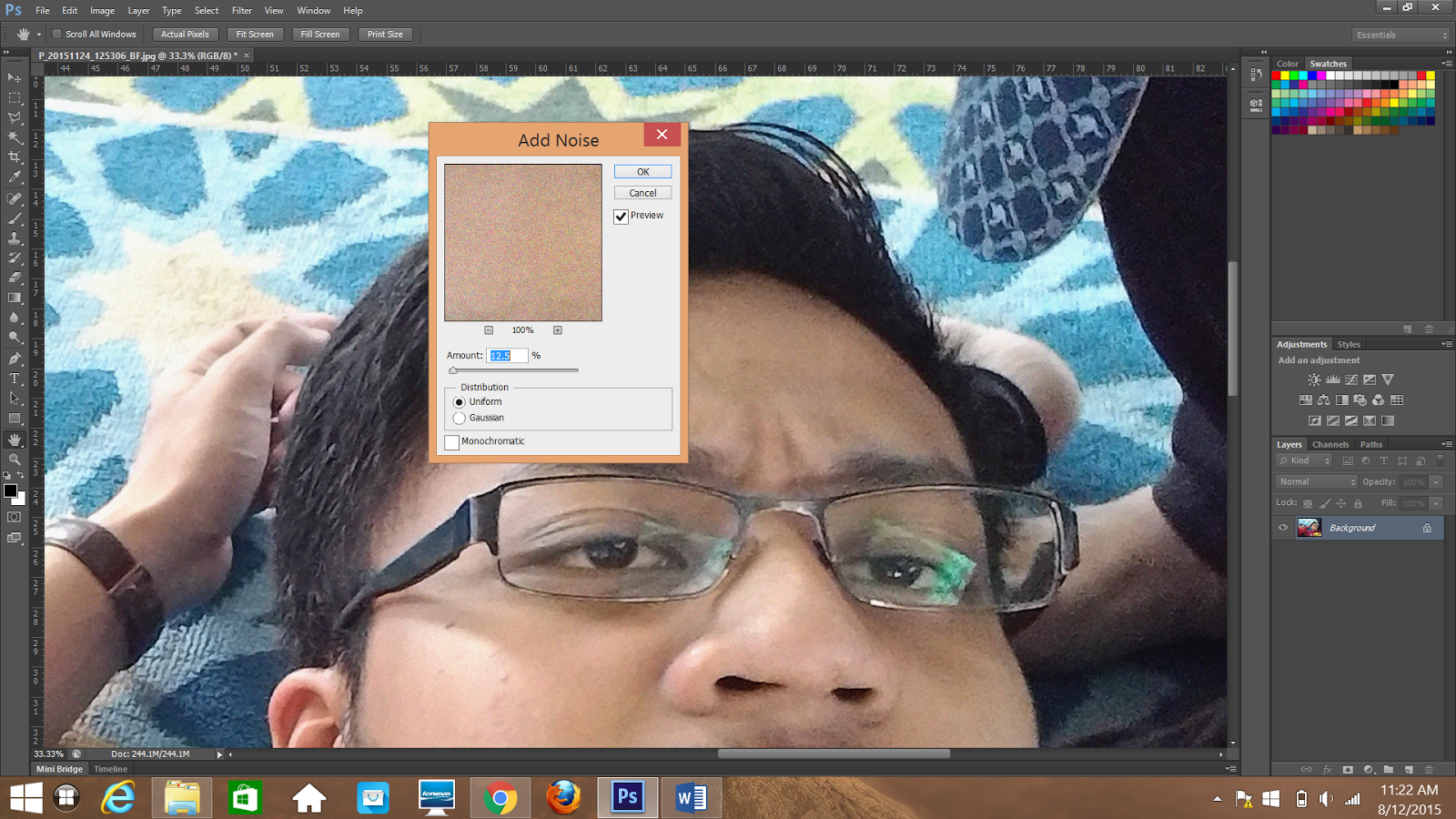
Click filter , choose Noise and Add noise
                          6.

                                      
Duplicate first layer then choose filter, click other and choose high pass.
                        7.
Right click on the new layer and choose blending options. Change the blend mode to Overlay.
                         8.
The result is here, Madam asked us to make 4 up to see different. I make a different between Original , GIF and PNG-8 using 256 colors. That's all for this week . Thank you. 


Week 3 

Lecture

So, for this week my lecturer, Miss Nazirah give a lecture about what we gonna use in computer graphics such as DPI , PPI, Resolution ,Pixel, Lossy vs Lossless and many more  . Before this, we only know to use but doesn't know what it's mean. Miss Nazirah asked us to form a group of four to present the meaning of those things. She gave about one hour to us to discuss the meaning of 13 things that given by lecturer. We divided our work to make easier.
So this is our result. Its make us more understand what we learn. 

Tuesday, 1 December 2015

PHOTOSHOP TUTORIAL 

So, tutorial is the best part because we can explore the software more deeply. This trimester we introduced to the Photoshop. Photoshop is well known in nowadays. 

I've been use this software before but not so professional on that time. I only know the basic. I should be grateful because this semester we learn Photoshop. In my opinion, Photoshop is more simple and easy than Adobe Illustrator. In the class, Madam Ling asked us to do a task that use captain america and tiger as a subject. 

Its a nice composition to test our creativity. 
And the picture is the result of my work.